Exchanges, wallets and staking in one number and one curve. And an answer to the question every trader asks: how much did I actually make?
FREE · 8 LANGUAGES
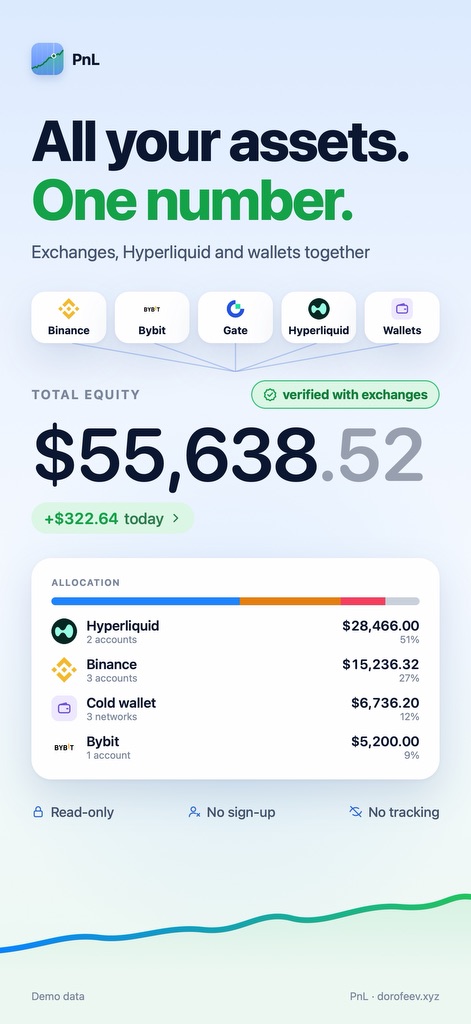
Binance$21,408.30
Hyperliquid$14,236.75
Bybit$9,112.40
Gate$3,860.12
Wallets$7,020.95BTCETHSOLTON
TOTAL EQUITY$55,638.52+$1,111.48 (+2.0%)OVER 30 DAYS
All sources - one totaldemo data
No account. Read-only. Exchange data goes straight to your phone.Scroll down
01 / FEATURES
What PnL does.
Not “yet another tracker”, but a few things that rarely come together.
MATH01
Honest numbers.
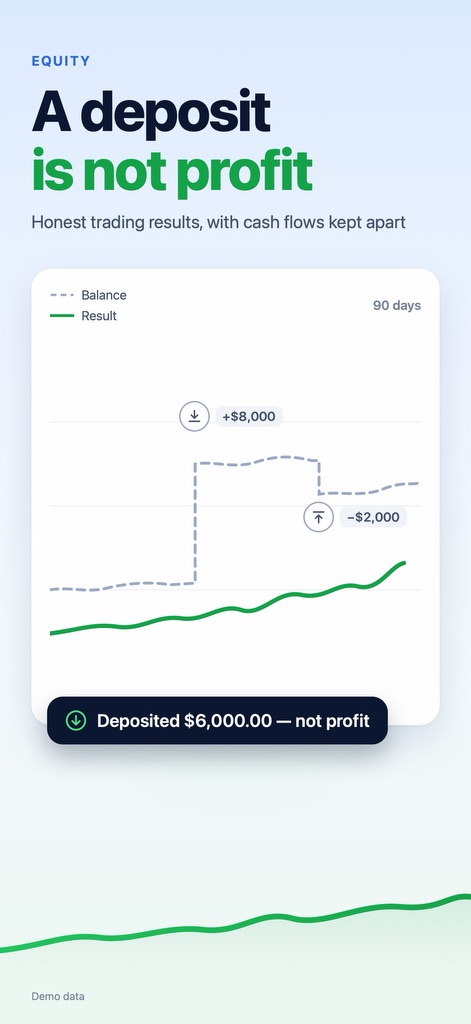
A deposit is not profit. A withdrawal is not a loss.
“Result” is separate from “Balance”: deposits and withdrawals never distort PnL.
FIFO accounting for spot, with bot trades kept apart from yours: bot profit matches what the bot itself shows. Fees and funding are counted separately.
Data check: see how fresh and complete the numbers are. No data means a dash and a reason, not a made-up zero.
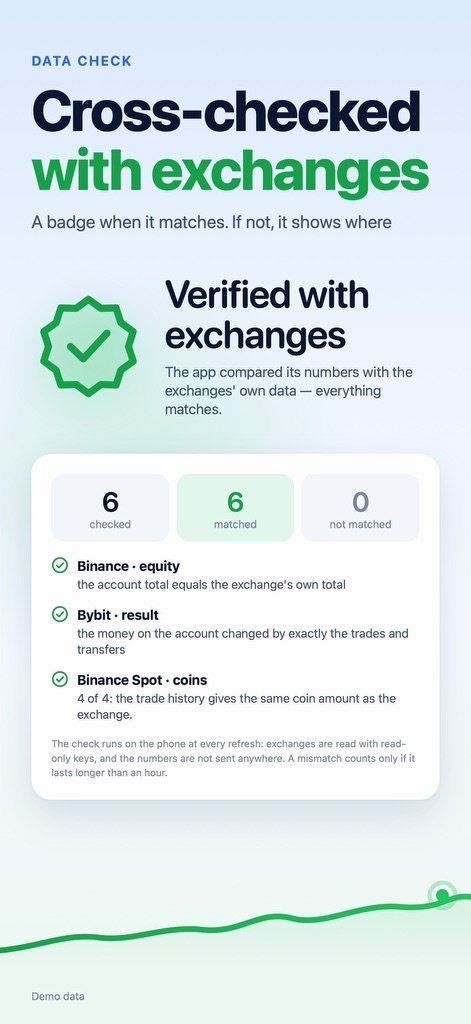
Verified with exchanges: the app compares its numbers with Binance and Bybit data and removes a duplicate itself if a Binance wallet is counted twice. When everything matches and most of your equity is covered, a badge appears on Home; if something doesn’t match, you see where.
Found a mismatch? Chat about a problem right in the app: pick where and what’s wrong, optionally attach a data snapshot, and the developer reproduces your numbers.
WALLETS02
Counted, not just shown.
A coin in your wallet gets an entry price and uPnL, like a position on an exchange.
FIFO entry price from your own transfers, and realised PnL when you sell.
A round trip from Binance is not a trade: coins you withdraw to your own wallet and deposit back to Binance keep their original purchase price there.
Priced by contract address, not by ticker: a fake token with a nice name won't get through.
Tokenized stocks from Ondo, xStocks and Backed are recognised out of the box.
ANALYTICS03
See where you make money.
PnL calendar, win rate, profit factor, drawdown and risk, without a wall of numbers.
Sharpe, Sortino and Calmar: how smooth the result is and what it rests on.
Breakdowns by asset, fees and funding; for Hyperliquid also long vs short, holding time and entry size.
Asset map plus your best weekdays and hours.
Full Binance history: the app sees all your spot trades, including USDC pairs and coins you have already sold. While the history loads, you see which coins are still being verified instead of an inaccurate number.
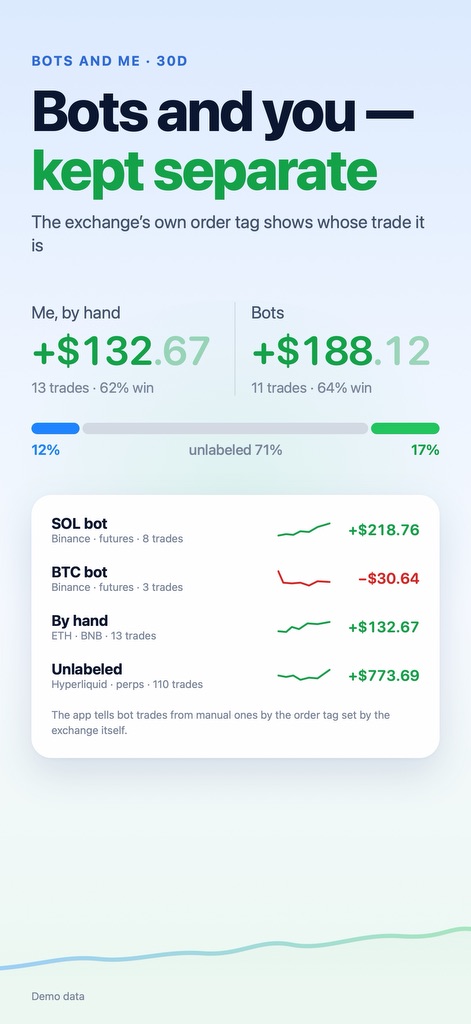
Bots and me: if bots place some of your trades on Binance, Bybit or Gate, Stats shows their result separately from yours, based on the order tag in the exchange’s own data.
PnL AI: ask about your trades, like “What worked this month and what didn’t?” The answer comes with your own numbers from the app, with no advice on what to buy. Optional subscription, first week free.
The day starts at 00:00 UTC, like on exchanges: “today”, the calendar and daily stats match Binance and Bybit. The calendar shows each day’s amount and the month total.
EVERY DAY04
Journal, alerts and a result card.
Everything you need next to your portfolio, not in five tabs.
Cash-flow journal: deposits, withdrawals and transfers between venues.
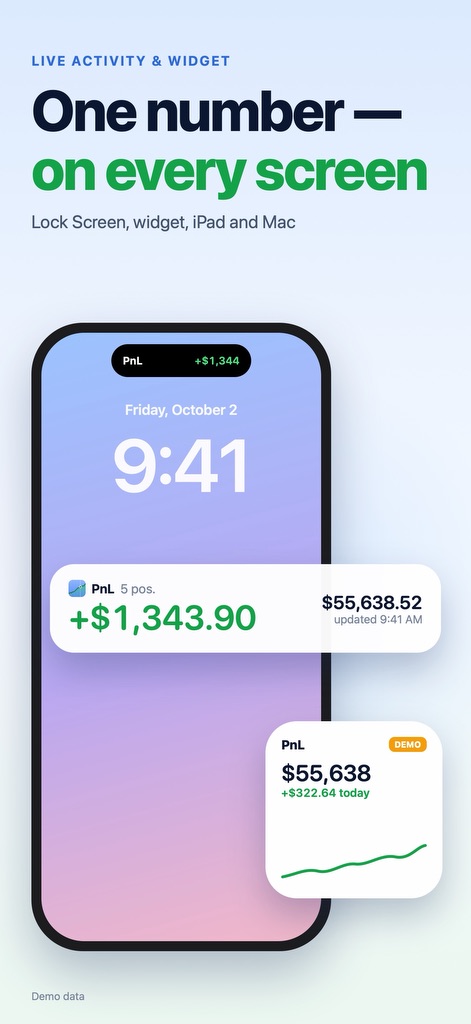
Alerts for goals, movements and risk; uPnL on the Lock Screen and a widget.
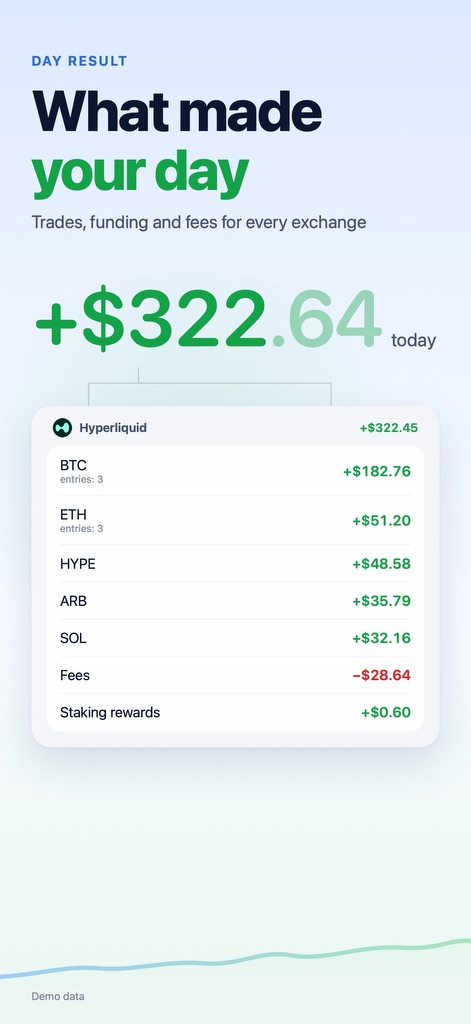
Day recap: after the day closes (00:00 UTC), Home shows a short summary: the result, the number of closed trades, the best and the worst coin. You can turn on a reminder in Notifications; it contains no amounts.
Weekly recap: every Monday on Home, the week’s result, daily bars and a couple of observations from PnL AI. Every number comes from the app. Share the recap as an image and hide the amounts if you like.
Result card in several styles, with a mode that hides amounts for public posts.
Showcase mode: demo numbers, so you can show the app without revealing yours.
Large text and VoiceOver: the app works at the largest text sizes and is fully usable with VoiceOver.
No dust: hide balances under $1, $10 or $100 from your lists; total equity stays the same.
02 / SCREENS
How it looks.
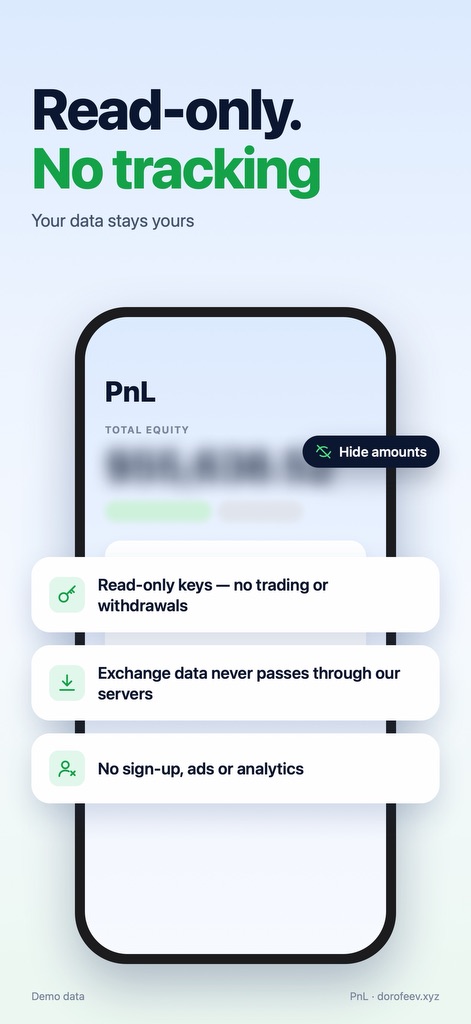
01All your assets. One numberExchanges, Hyperliquid and wallets together.02A deposit is not profitHonest trading results, with cash flows kept apart.03Cross-checked with exchangesA badge when it matches. If not, it shows where.04Bots and you - kept separateThe exchange’s own order tag shows whose trade it is.05What made your dayTrades, funding and fees for every exchange.06One number - on every screenLock Screen, widget, iPad and Mac.07Read-only. No trackingYour data stays yours.
Screenshots show demo data. Scroll sideways.
03 / VENUES
Where the numbers come from.
Everything comes together in one picture, split by venue: how much sits where and how much it earned. Several keys for one exchange show up as separate rows.
HyperliquidBy wallet address, no API keys: perps, spot, staking, trades and funding.
BinanceRead-only API key. The app cannot trade or withdraw, and it flags a key that has those permissions.
BybitRead-only API key. The app cannot trade or withdraw.
GateRead-only API key. The app cannot trade or withdraw.
Exchange data goes straight to your phone: requests go to exchanges and public blockchain APIs, bypassing our servers. No sign-up, analytics, ads or tracking. We run a server only for the support chat and PnL AI. It receives only what you choose to send and stores no questions or amounts.
Keys are read-only and live in the device Keychain. The app cannot trade or withdraw funds, by design, not by promise. iPhone, iPad and Mac sync only through your own iCloud, encrypted.
PnL launched on the App Store on September 24, 2026. Free, with PnL AI as an optional subscription and a free first week. For iPhone and iPad on iOS 26 or later and for Macs with Apple silicon, in 8 languages.